Showing posts with label Apple. Show all posts

Monday, 15 July 2013

How to Open iTunes Links inside Chrome for iOS

Chrome on iTunesGoogle Chrome is a good alternative to the default Safari web browser on iOS devices but there’s one little problem – Chrome doesn’t know how to properly handle iTunes URLs.
For instance, if you happen to click a link that points to an iPhone app, Chrome will show the HTML source of the itunes.apple.com page instead of opening the iTunes Apps Store (app). Here’s a screenshot image of Google Chrome running on an iPad and the gibberish text is actually the iTunes store listing for a popular iOS game. You shouldn’t be seeing this.

There are two ways to fix this problem.
You can copy the itunes.apple.com URL from Chrome’s address bar, switch to Safari and paste the URL in a new tab. Safari will automatically launch the app’s page inside the Apps Store.
There’s an easier option as well. While in Chrome, tap the Hamburger menu button in the upper right and choose the “Request Desktop Site” option. Chrome will now render the regular itunes page – similar to the ones you see on desktop computers – and you can tap the “View in iTunes” button to open that app inside the Apps Store.
You may use a similar workaround for opening movies and music album listings inside the iTunes app from the Google Chrome browser.

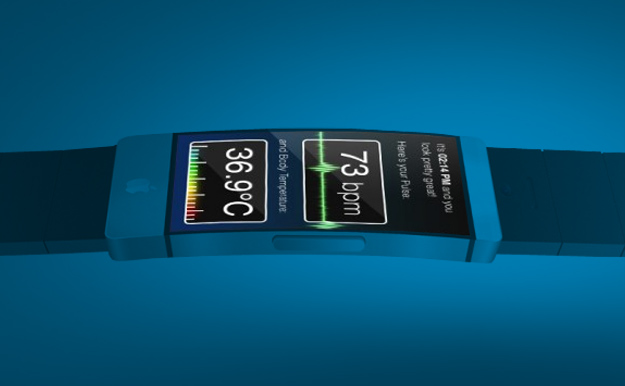
iWatch: Apple reportedly hiring new talent to tackle design problems

Apple iWatch
Apple is reportedly in the midst of an “aggressive” hiring spree for its iWatch project as it seeks out talent to help overcome design issues with its wearable tech, a Financial Times report said
Sunday.
According to those “familiar with Apple’s plans for the wearable device”, the taking on of new talent started in the last few weeks in an effort to tackle “hard engineering problems that [existing staff] have not been able to solve.”
Earlier this year the Cupertino company was said to have a team of around 100 product designers working on the device and that it was “beyond the experimentation phase in its development”.
The FT’s source also suggests that because of the ongoing challenges, the high-tech wristwatch may not hit the market until the latter half of next year, by which time rival companies such as Samsung could already have a similar device on the market.
The FT’s contact isn’t the only one to claim that an Apple smartwatch will be appearing later rather than sooner. In May, KGI Securities analyst Ming-Chi Kuo, who’s been pretty accurate in the past when forecasting the tech company’s product plans, said that hardware and software issues connected with the iWatch mean the wearable tech is most likely to make it to consumers’ wrists in the latter half of 2014.
Of course, there’s been no official word from Apple about the existence of the so-called iWatch, though in recent weeks it emerged that the tech giant has started to register the ‘iWatch’ trademark in several countries around the world.
Wearable tech appears to have become the central focus of a slew of tech companies in recent months, with competition in the space expected to grow increasingly intense in the coming months and years.
As far as the smartwatch is concerned, Samsung has already stated it’s working on such a device, while Google is rumored to be developing one as well. With the PC market in decline, Dell is also looking into wearable tech, with Sam Burd, its global vice-president of personal computing, saying recently that the idea of a smartwatch is “pretty appealing”.
Of course, several companies are already selling wrist-based computers, with Pebble for one making a name for itself early on following a Kickstarter campaign last year that proved a big hit with backers. The company recently struck a deal with retail giant Best Buy to sell the watch at its stores. Last week Pebble boss Eric Migicovsky said pre-orders for its device had exceeded 275,000 in the space of six months, suggesting the smartwatch market is ripe for harvesting.

Thursday, 11 July 2013

Apple e-book fallout: What it means for your wallet

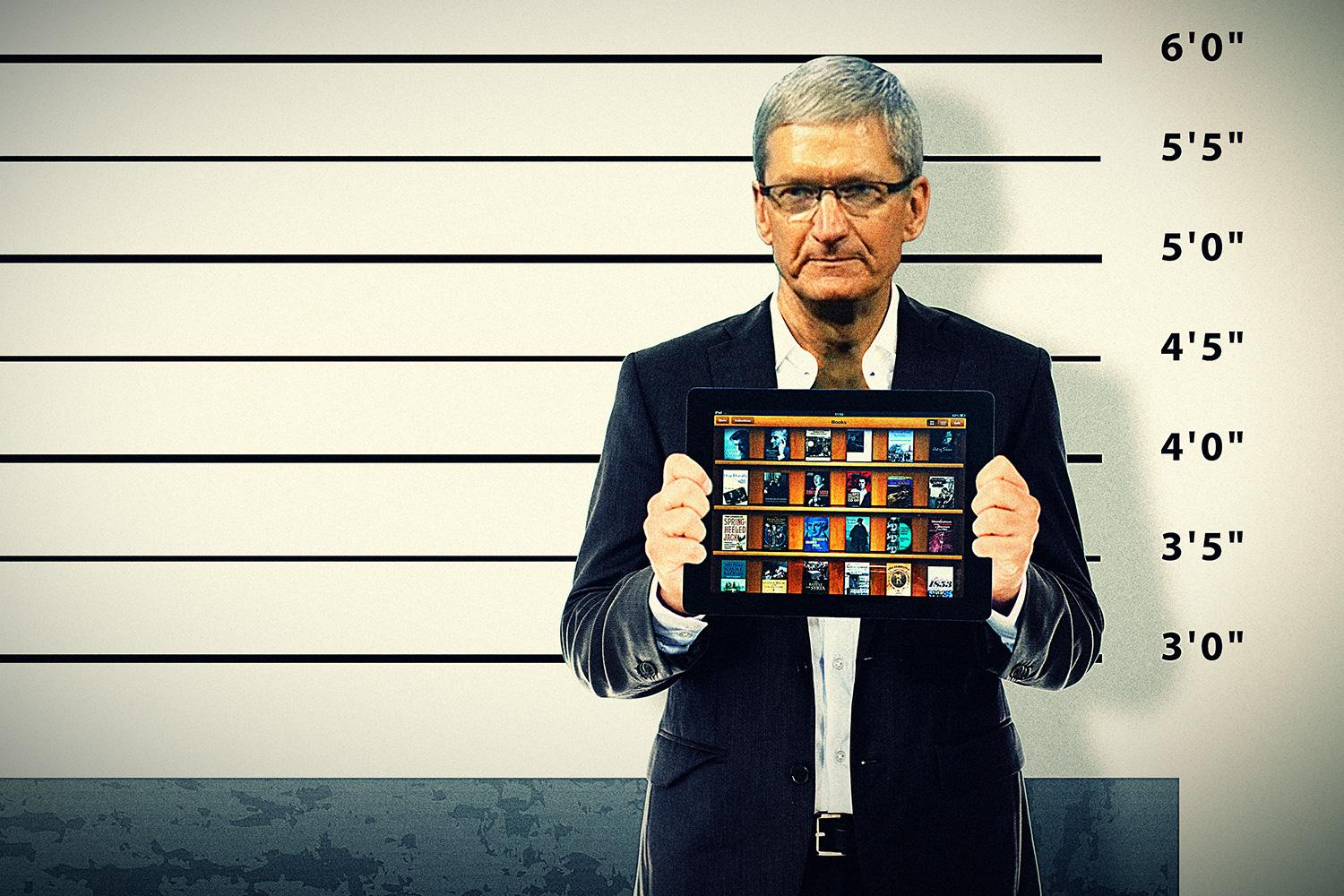
Apple iBooks Lawsuit Tim Cook
A federal judge on Wednesday found Apple guilty of colluding with U.S. book publishers to pump up the price of e-books. While it’s far too early to say anything conclusively about the consequences of the ruling – Apple says
it’s going to appeal the decision – experts believe U.S. District Judge Denise Cote’s thorough opinion makes it highly unlikely that Cupertino will make it out of this one with its dominoes still standing. So let’s assume for a moment that the ruling withstands Apple’s appeal. What does that mean for us, the consumers?

The fine print

According to the court ruling, Apple worked out a deal with five major U.S. book publishers that made it impossible for Amazon – the king of e-books – to sell e-books at the bargain price of $9.99, a price that helped make e-books popular but made it hard for publishers to sell more expensive hardcover print editions. Instead, Apple convinced the publishers to change to something called agency pricing – where the publisher, not the bookseller, sets the price – and to sell their e-books for $12.99 or $14.99 everywhere. This deal pushed the price of e-books up across the board, including on Amazon.
The U.S. Department of Justice and attorneys general from 33 states called foul, and Apple and the publishers got sued. All five of the publishers – Simon & Schuster, Penguin Group, HaperCollins Publishing, Holtzbrinck Publishers, and Hachette Book Group – settled their suits, which put an end to the whole price-boosting scheme. Apple, on the other hand, claimed that it did nothing wrong – and still claims that it did nothing wrong – so it chose not to roll over like the publishers.
Okay, with that bit of trivia out of the way, here’s a quick rundown of how this ruling may affect you.

Apple pays you the difference

One likely scenario is that Apple will have to pay some customers who purchased e-books between 2010 and 2012 a little bit of money – some approximation of the difference between what you did pay, and what you would have paid had Apple not gotten all meddlesome on us.
If Cote rules that Apple must open up its marketplace to other e-book-selling apps, you will likely be able to buy e-books straight through the Kindle, Kobo, and any number of other e-book apps.
I say some customers because attorneys general from only 31 states and two U.S. districts or territories joined the suit against Apple. Those states/territories are: Alabama, Alaska, Arizona, Arkansas, Colorado, Connecticut, Delaware, District of Columbia, Idaho, Illinois, Indiana, Iowa, Kansas, Louisiana, Maryland, Massachusetts, Michigan, Missouri, Nebraska, New Mexico, New York, North Dakota, Ohio, Pennsylvania, Puerto Rico, South Dakota, Tennessee, Texas, Utah, Vermont, Virginia, West Virginia, and Wisconsin.
If you live in one of the places listed above, you’re probably going to get a small payout from Apple in the future. It is also possible that other lawsuits from additional states may follow – so if you live elsewhere, don’t count yourself out entirely just yet.
Calculating an exact amount, at this point, is virtually impossible (there’s a whole other trial to determine that, assuming Apple loses its appeal). But let’s look at what we know.
First, because the publishers already settled, we know that they paid customers between $0.25 and $1.32 per book (depending on how new the book was, and whether it hit The New York Times Bestseller List). Second, the DOJ tells us that “e-books increased by an average of 18 percent as a result of the collusive efforts led by Apple.” If we use Amazon’s $9.99 pricing as the going rate before this whole debacle, that means you paid, on average, about $1.80 more for your e-book than the government thinks you should have paid.
What we don’t know right now at all is whether Apple will be forced to pay this difference for all e-books, or only e-books sold through its iBookstore.
Verdict: If you live in one of the areas listed above, and bought an e-book from the iBookstore at any point between 2010 and 2012, you’re probably going to get $0.25 to $1.80 back from Apple (probably in the form of a Apple Store credit) for each book purchased. If you didn’t buy any books from the iBookstore during that time, your payday is less than guaranteed.

Apple opens the e-book app gates

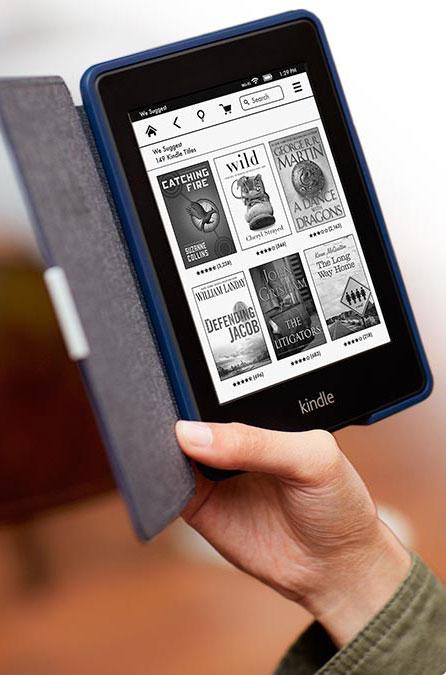
Apple e-book fallout kindleIn addition to a hefty settlement with customers, Apple faces certain restrictions on the deals it can make with e-book app developers. The DOJ suggests (PDF) that Cote may require Apple to “accept any new e-book reader app or any update to an e-book reader app,” which would presumably give us far more options in terms of where we can buy our e-books through iOS.
At the moment, Apple does not allow e-book apps, like Amazon Kindle, Kobo, or Sony E-reader, sell any e-books directly to customers. That means, for example, if you’re stuck at the airport and want to buy something to read from your iPhone or iPad, you have to do so through Amazon.com on your mobile browser, then access that download through the Kindle app (or just buy straight from Apple, of course). If Cote rules that Apple must open up its marketplace to other e-book-selling apps, you will likely be able to buy e-books straight through the Kindle, Kobo, and any number of other e-book apps.

Cheaper e-books? Maybe

Because the publishers have already settled this case, and no longer have the ability to block Amazon from selling e-books at whatever cost it likes, the change in e-book prices has already happened – for the most part, at least. Even books atop The New York Times Bestseller List are less than $10 on Amazon – some of them are free. So don’t expect e-book prices to change much due to whatever consequences Cote forces Apple to pay.

A downside for Apple (and maybe us, too)

One possible (likely?) consequence of Cote’s ruling is that it will hamper Apple’s ability to negotiate content deals of all sorts, including music, TV shows, and movies. Remember, Apple is the company that brought $0.99 songs to the world, which revolutionized and, some believe, saved the music industry from the collapse of free file-sharing that ran rampant before iTunes became the go-to place for music. It did this through some particularly deft negotiations. Experts believe that brokering such deals in the future may become far more difficult for Apple.
“If you’re a tech company and you are looking to aggregate content, you have to be exceptionally conscious about how you talk to your suppliers,” Ankur Kapoor, an antitrust lawyer, tells the Wall Street Journal. “U.S. v. Apple has put these communications under a very fine microscope.”
This may prove to be a bigger challenge for Apple than it is downside for consumers. Either way, we now just have to wait to see how much punishment Judge Cote thinks Apple deserves.

Apple 1 sells for a whopping $387,750 in online auction

Built in Steve Jobs' parents' garage in 1976, one of Apple's original computers becomes the highest priced item ever sold in a Christie's online-only auction.

This Apple 1 sold for $387,750 in a Christie's online auction.
Instead of paying top dollar for the newest tech products, some people are spending a lot of money on the oldest tech products.
One of Apple's original computers, known as the Apple 1, sold for $387,750 in a Christie's online auction on Tuesday. It's the highest priced item ever sold in one of Christie's online-only auctions.
The computer was built in Steve Jobs' parents' garage and designed by Steve Wozniak. There's no monitor, but Christie's says that the device is still functional.

Besides the Apple 1, Christie's also auctioned off other "
iconic technology from the twentieth century" -- almost all of it old-school Apple swag, including fabled flop the Lisa, as well as a rare 20th anniversary Macintosh and MacPortable prototype."The Apple-1, one of the first 25 Apple-1's ever assembled, inscribed with the serial number 01-0025 in black ink was designed and hand-built in 1976 by Steve Wozniak, who later signed his work 'Woz,'" Christie's said in astatement.
While nearly $400,000 is a lot of cash, it's less than the price of another Apple 1 that was auctioned off in May. Sold by German auction house Breker, that Apple 1 fetched $671,400 -- but, it had a monitor.

Tuesday, 2 July 2013

Never miss the free App of the Week from the App Store again


Last summer I covered an easy-to-create recipe on IFTTT that would send an e-mail or alert of your choosing once the App Store Twitter account posted a tweet announcing the latest freebie. Since that time there have been some changes to Twitter 's API policy, and IFTTT (name based on "If this, then that") has had to change how it uses Twitter within its service.

So, if you've been looking for a way to start receiving notifications for the free App of the Week again, you're in luck. Before we begin, make sure you've signed up for a free IFTTT account if you don't already have one.As such, the recipe demonstrated in my post last June no longer works. While browsing through public IFTTT Recipes today I found a solution that uses posts on the App Store's official Facebook page to trigger alerts.
  1. Visit IFTTT.com and log in to your account.
  2. You can add this public recipe from IFTTT user "jtshea" (who also happens to have some recipes for CNET's very own Cheapskate deals in his profile), or you can create your own recipe if you'd rather not receive the alert via e-mail as the above recipe is set to do.
  3. To create a different alert method, copy the following RSS URLhttp://www.facebook.com/feeds/page.php?format=atom10&id=286893159420. Then create a new Recipe using the Feed channel, with the "Feed item matches" criteria.
  4. Paste the feed address you copied from the previous step in the feed URL field, and add "App of the Week" to the keyword or simple phrase field.
  5. Once you've created the trigger you can then select the action or alert method you'd like to use to get notified of the new post.
You'll be alerted via the method of your choosing when the App Store posts the free App of the Week on its Facebook page, complete with the body of the post and a direct link to the app in the App Store.

Hide and unhide apps from your iPhone's purchased list in iOS 6


In the past, you could pull off this maneuver right on your phone. Now, it requires a trip to iTunes. Find out where in iTunes you need to go to hide and unhide apps from your purchased list.
Turns out, I've been giving you bad advice. Or at least outdated advice. In my post on this topic from last year (in the heady days of iOS 5), I showed you how you could simply swipe on an app on your purchased list right on your iPhone to hide it. For no good reason at all (at least any that I can see), iOS 6 did away with this functionality. Perhaps iOS 7 will bring back the ability to cull your purchased list from your phone, but for now, it requires a trip to iTunes. *sad trombone*
Open up iTunes and click on the iTunes Store button. Next, click on the home button if the Store didn't open to this view. In the right column, under the Quick Links header, click on the Purchased link. Click on Apps from the top of this view, and you'll see a grid of your purchased app. Hover over an icon and a small X button appears in the upper-left corner. Click the X to hide the app. The app will be hidden from the purchased list on your phone the next time you take a look at your purchased list; no sync is necessary.
To reverse course and unhide an app, click on the button with your username in iTunes and select Account. Next, in the iTunes in the Cloud section, click the Manage button that sits to the right of the Hidden Purchases. Select Apps and you'll a grid of icons for all of your hidden apps, each with an Unhide button. Click the button and the app is returned to your purchased list.

Restrict volume on iPhone, iPod, and iPad

If your kid is using an iPhone, iPod, or iPad to blast music at unsafe levels, you should consider setting a limit on their maximum volume. I mean, they'll hate you for it -- but they'll also hate having tinnitus in their 20s, right?
In the above video, I'll walk you through the steps of lowering the maximum volume limit on any iOS device, as well as locking that setting in place using a password of your choosing.
The first step in the process is to lower the maximum volume by tapping Settings and then scrolling down and selecting Music. Next, tap Volume Limit and pull down the volume slider to the maximum volume level you've decided on. Then, tap the back arrow until you're back at the main menu.
To lock the volume limit with a password, head back into Settings, but this time tap General, and then select Restrictions. Next, hit Enable restrictions at the top of the page and create a four-digit password. After that, scroll down to where it says Volume Limit. Tap that, change it to "Don't Allow Changes" and then back all the way out to the main menu.
That's all there is to it. If you want to ease the sting of restricting their volume you should seriously consider treating them to an upgraded pair of headphones. Below, you'll find a roundup of some of CNET's favorite picks for under $50.

Monday, 1 July 2013

Apple invites some MacBook Air owners to test Wi-Fi fix

(Credit: Apple)
Apple is asking certain MacBook Air owners for help in resolving a Wi-Fi bug.
Released in early June, the new 11-inch and 13-inch MacBook Airs come with the latest version of Wi-Fi, namely 802.11ac. However, some people who bought the new models have complained of lost wireless connections. After investigating the issue, Apple has been providing affected users with replacement Airs and now has a new fix ready for field testing.
MacBook Air owners invited to check out the MacBook Air WiFi Update 1.0 fix have received the following message, according to 9to5Mac:
You have been selected to join our AppleSeed program. If you accept, we will provide you with a pre-release version of the MacBookAir WiFi Update 1.0 to install and use.
While trying out MacBookAir WiFi Update 1.0, we ask that you provide us with your feedback. Our program includes a bug reporting program for our participants. If you wish to be a seed volunteer and help Apple release high-quality software, follow the instructions below...
Wi-Fi troubles aren't exactly uncommon for new Apple products. The iPhone and iPad have seen their share. The new MacBook Airs also represent Apple's first support of 802.11ac Wi-Fi in its notebook lineup.